01
BetaGoodebot
The desktop workspace for robot profiles, hardware, controls, previews, builds, and deployment.
Python-first robotics development
A modern development ecosystem for configuring, programming, testing, building, and deploying compatible VEX V5 robot projects.
Goodecode brings a Python-first workflow. Goodebot connects code, devices, controller mapping, simulation, and deployment in one application.
ctx.drive_for(24, speed=80)One connected workflow
Move from an idea to a deployable program without losing the connection between hardware, code, and behavior.
The desktop workspace for robot profiles, hardware, controls, previews, builds, and deployment.
A Python-first authoring workflow and Visual Studio Code extension for readable robot projects.
Visual actions, triggers, and device declarations that stay grounded in editable project code.
The runtime generation, packaging, simulation, and physical deployment layer.
From blank project to Brain
Runtime and deployment layer
Cortex reads the saved hardware map, controller bindings, programs, autonomous routines, and Brain interface from Goodebot. It validates those parts together, generates the runtime, and seals the result into the selected Brain slot’s deployment bundle.
Interactive Brain guide
Move through the four main Brain-interface sections using fresh captures from the actual Goodebot v5.00 build in its default theme.
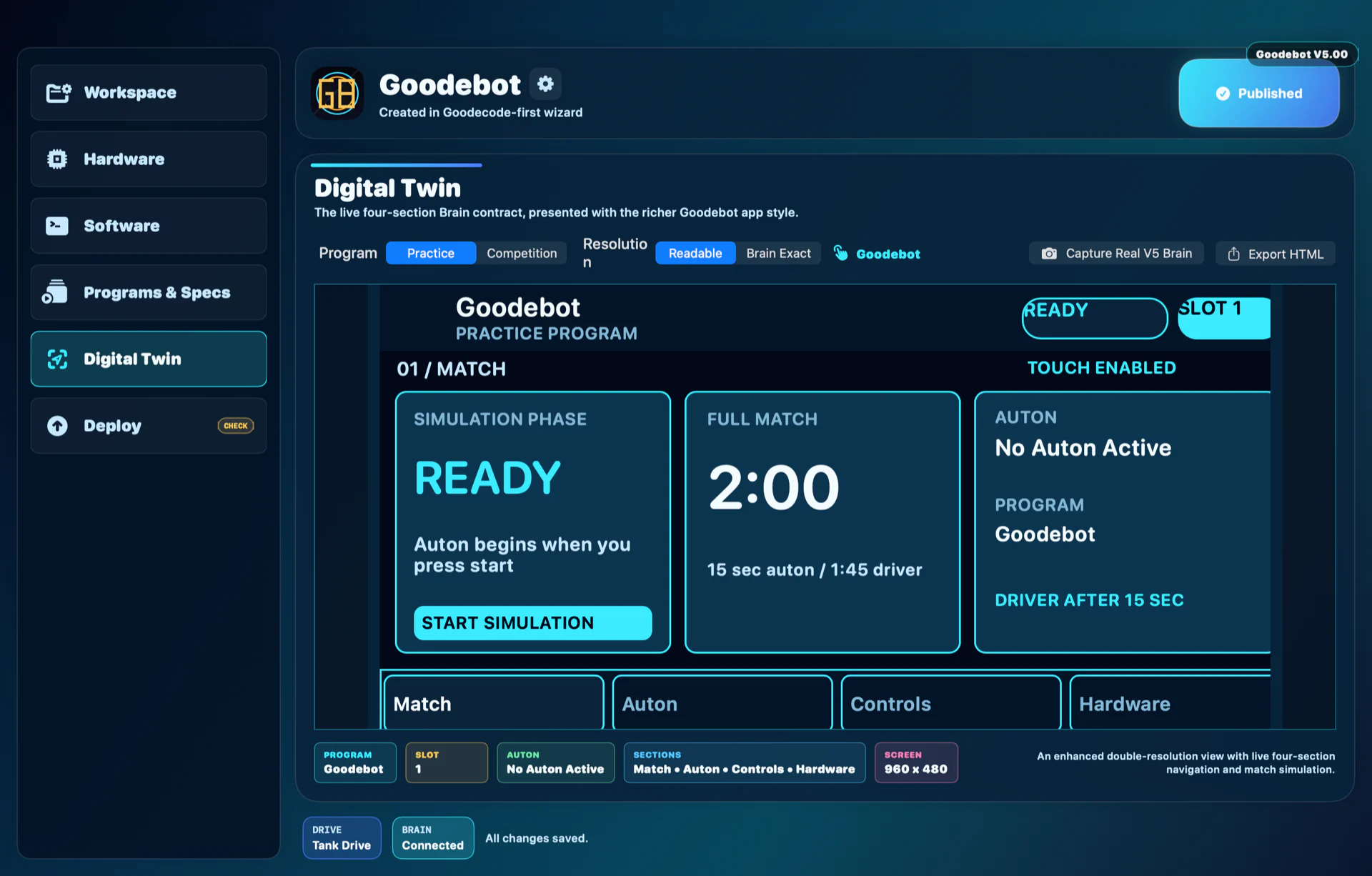
01 / Match
The opening screen shows field-control readiness, the match clock, the selected autonomous routine, the active program, and the Brain slot before competition starts.
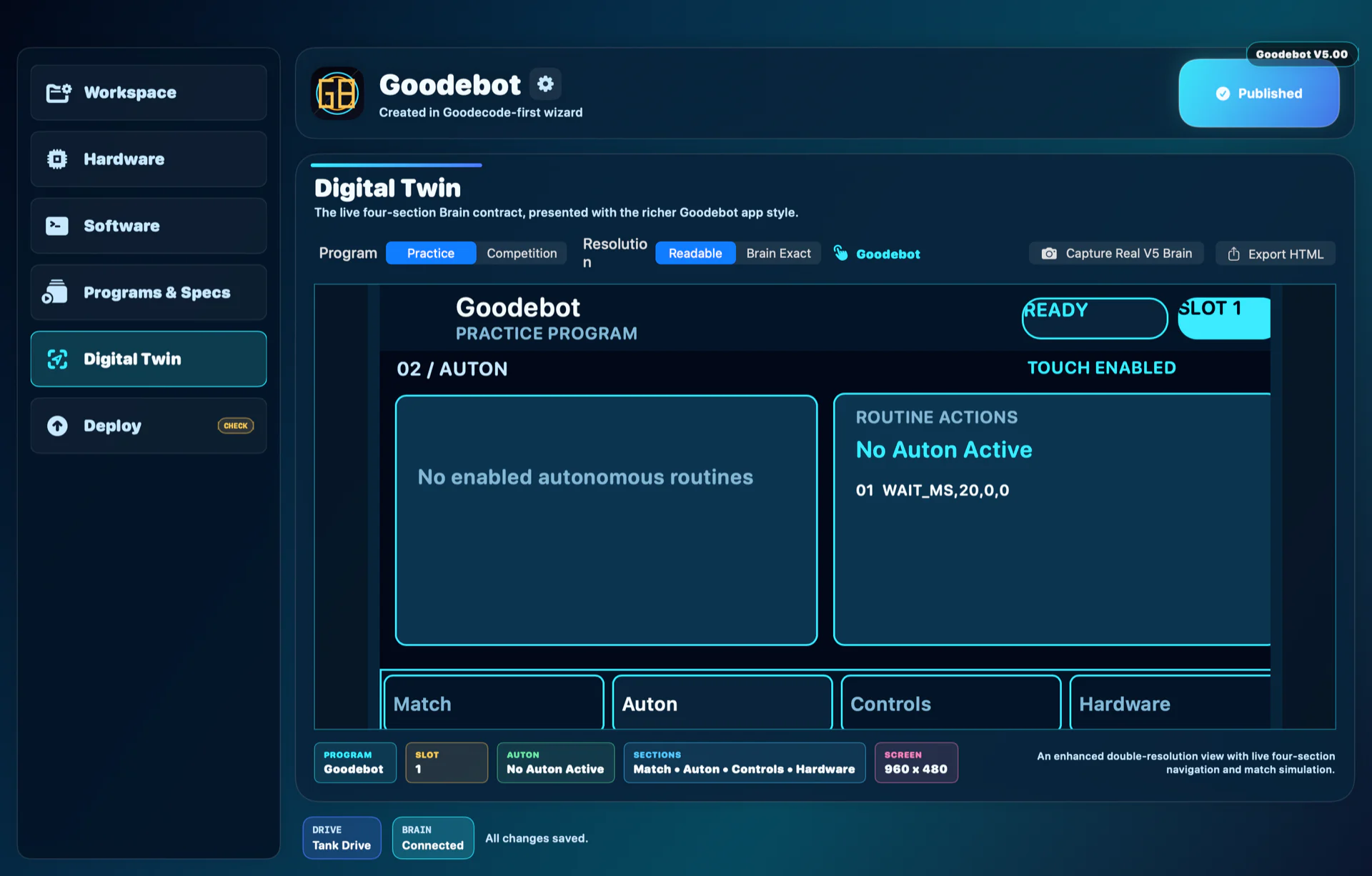
02 / Auton
The Auton screen identifies the selected routine and lists its actions in order, making an empty, disabled, or incomplete autonomous plan visible before deployment.
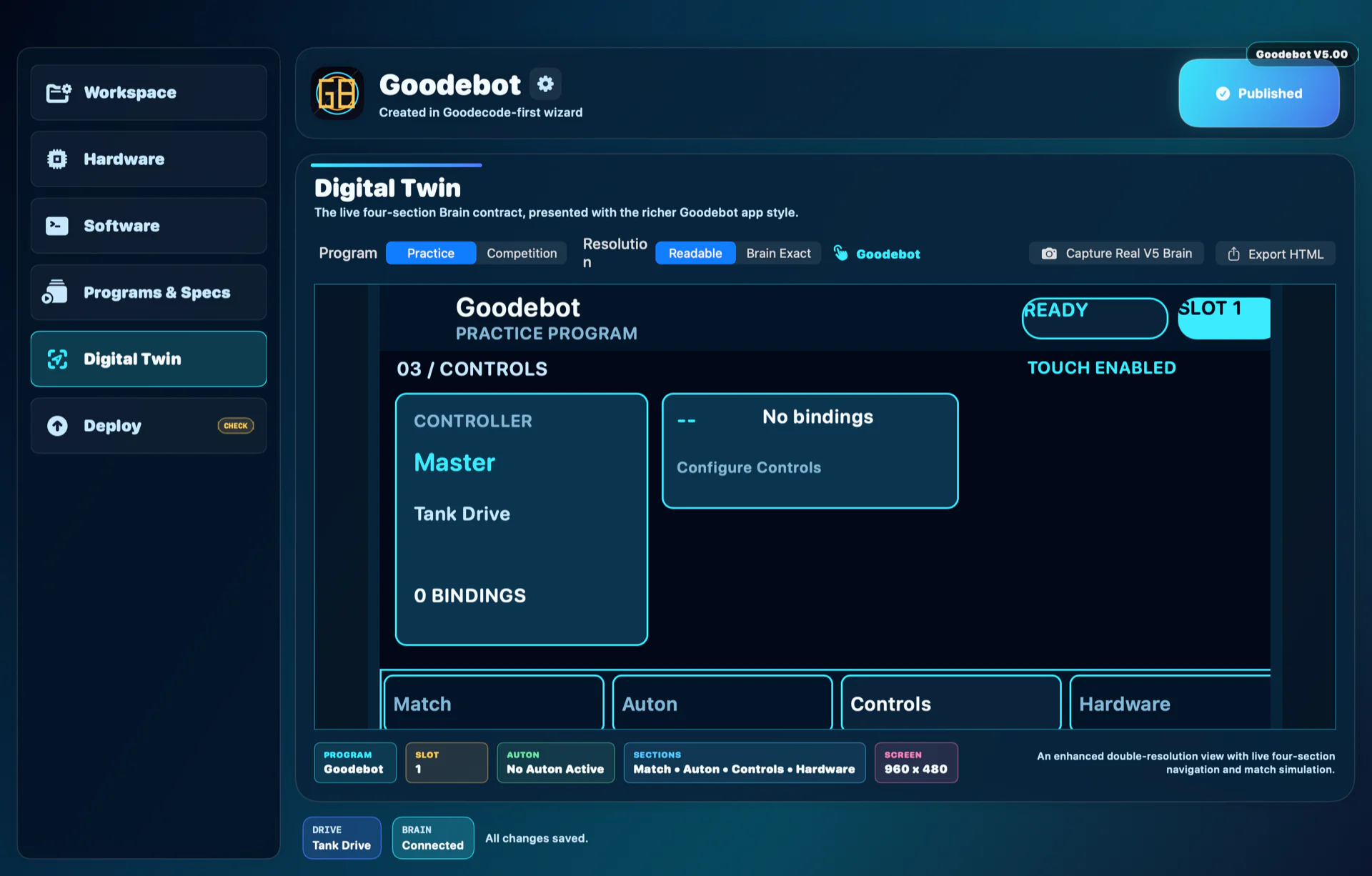
03 / Controls
The Controls screen summarizes the active controller profile, drive mode, and button or axis bindings so the team can verify operator behavior before a match.
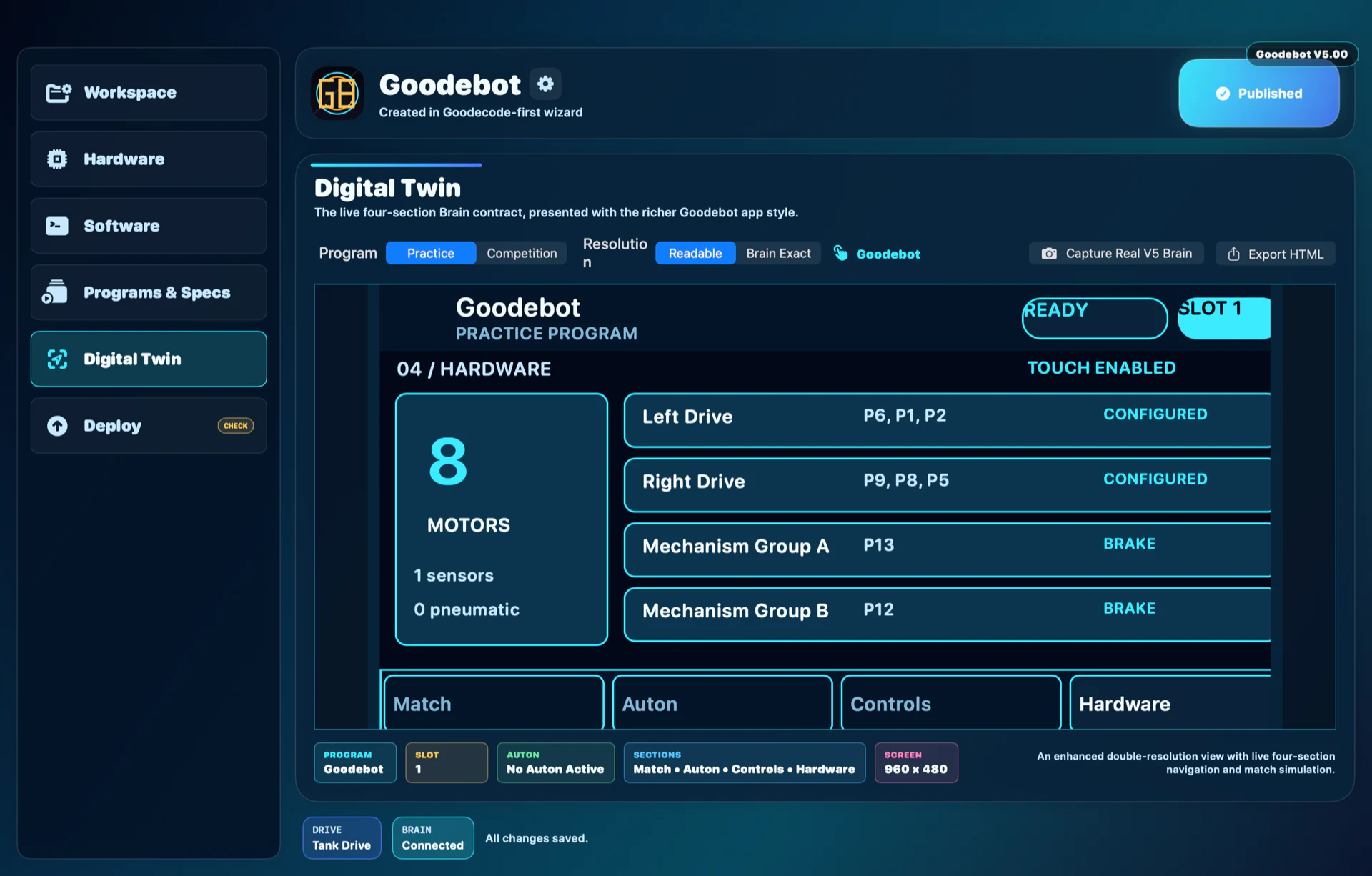
04 / Hardware
The Hardware screen reports mapped motors, sensors, and pneumatics and surfaces anything that still needs review before building or connecting the physical robot.
Configure with context
Build a robot profile around real ports, mechanisms, sensors, controller inputs, and competition settings. Goodebot keeps that configuration beside the code it informs.
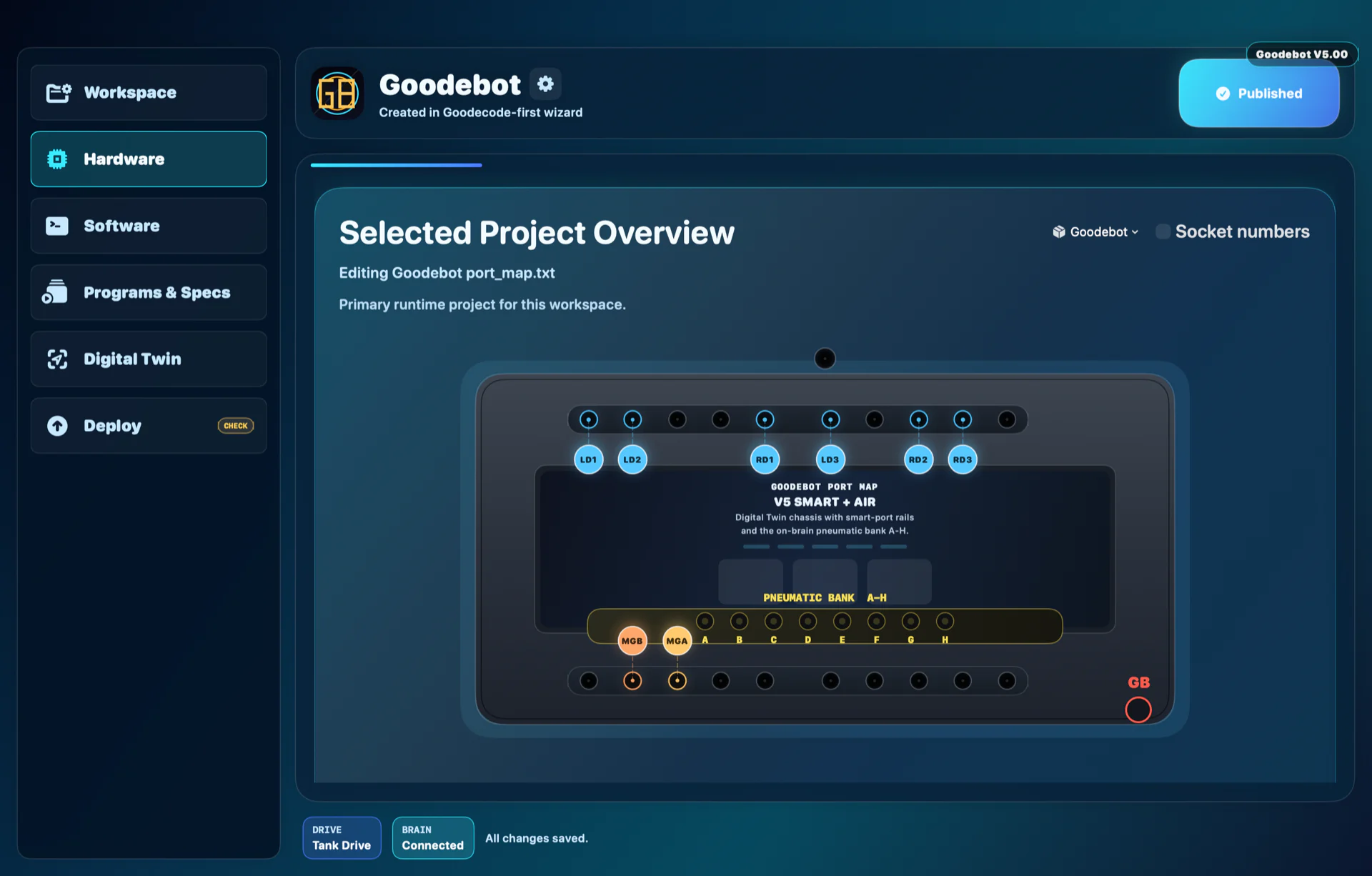 Actual v5.00 capture
Programs & Specs
Program settings and the active profile specification now share one clear workspace. Teams can review Brain slots, locked autonomous routines, Brain UI settings, and build notes without hunting through a separate small-print panel.
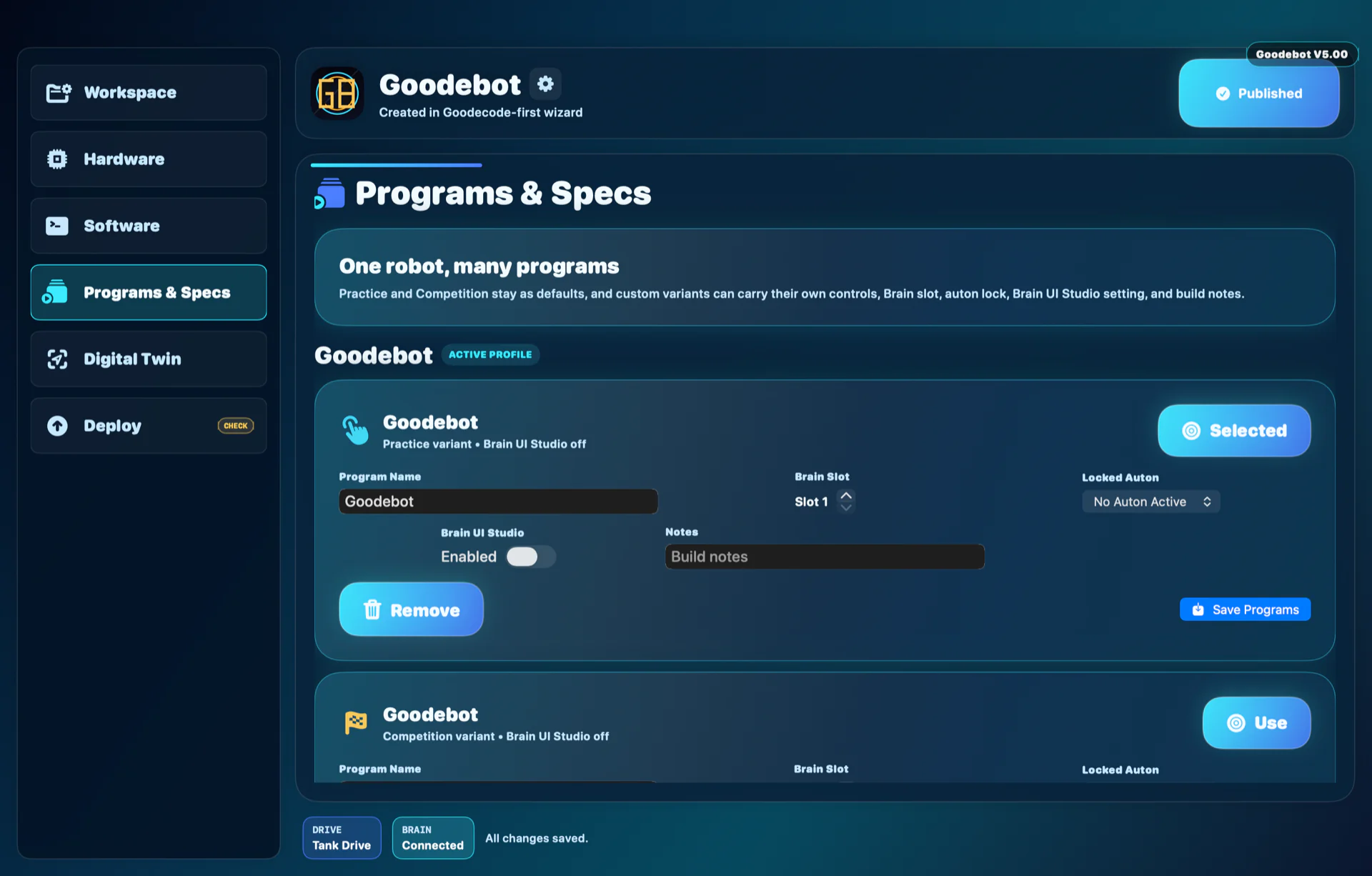 Actual v5.00 capture
Preview before hardware
The Virtual Brain and Digital Twin surfaces help verify layouts, autonomous selection, status, and generated behavior before a physical upload.
Actual v5.00 captureBuild with confidence
Validate a Goodecode project, generate its runtime, review the deployment contract, and prepare the selected Brain slot from the same guided flow.
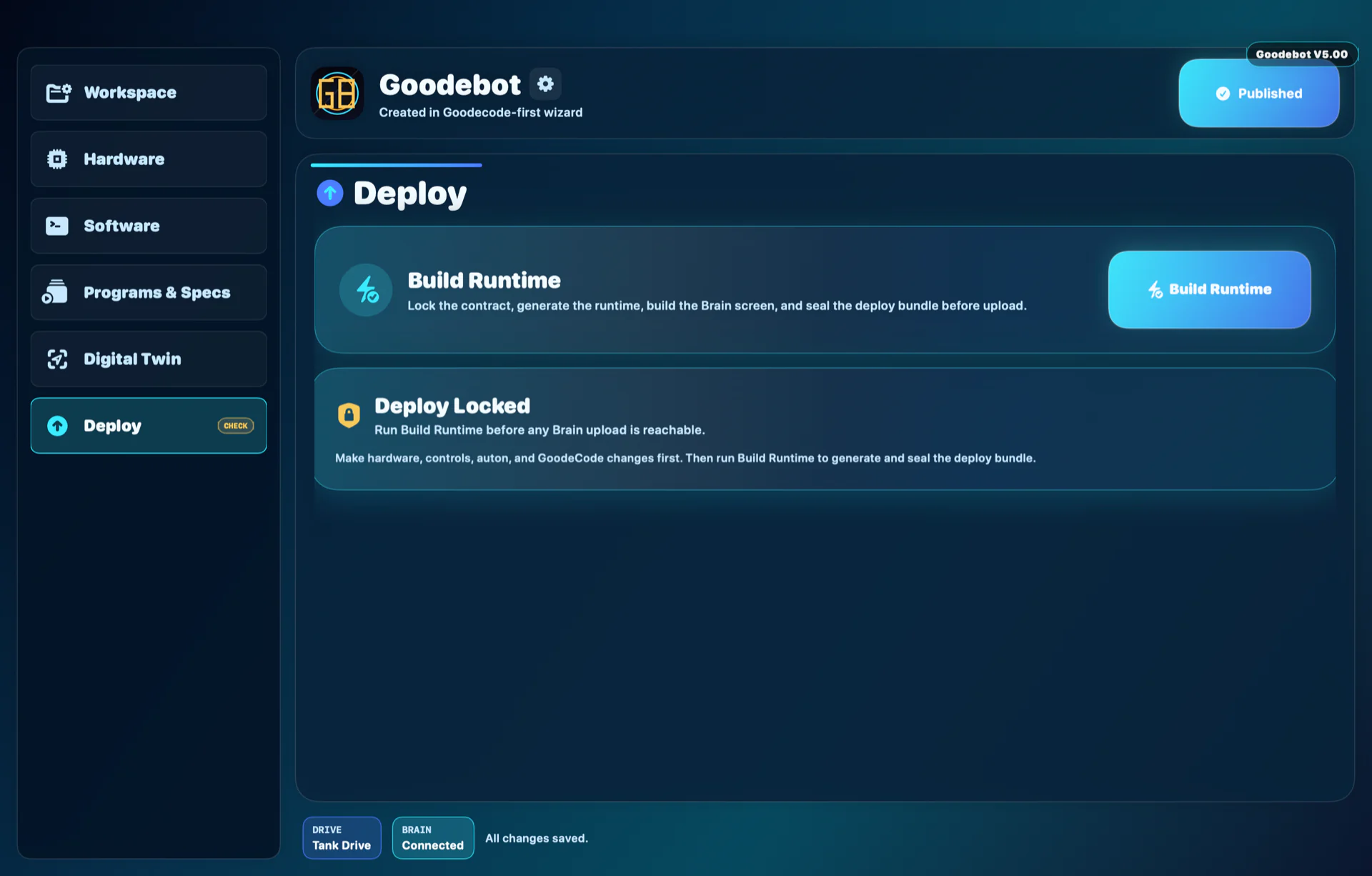 Actual v5.00 capture
Verified in the repository
Map motors, motor groups, sensors, and pneumatics in a visual robot profile.
Connect buttons and axes to driver behavior with readable, inspectable mappings.
Keep robot behavior in a Python-first project that teams can understand and review.
Check screen pages, competition state, hardware status, and auton selection before deployment.
Exercise generated robot behavior in a software preview while physical parity remains experimental.
Validate, generate the runtime, package the project, and prepare a physical V5 upload.
Release status
Follow v5.00 signing and notarization status on Goodebot’s only official download page.
